
Steps to Verify Registration Status
Important: Please do not use Safari when completing your registration. We have seen issues with Safari that can prevent the registration process from working properly.
For the best experience, please use Google Chrome or Mozilla Firefox instead.
- Log in here
- Select Membership on the left
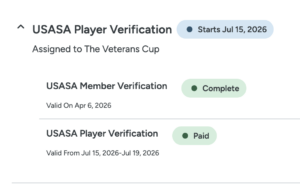
- Click on the USASA Player Verification link to see your status
- Status should show Complete
- If your status is complete, your registration is all set
- Fix Registration issues
- Ineligible
- Click Complete Requirement
- Denied
- Click the (?) to view the reason for the denial
- Check Registration Requirements (see “USASA Membership” section below)
- Click “Resubmit” to fix the issue
- Edit your information
- Click pencil icon to the right of your information (insert pencil graphic here)
- Remove the incorrect document
- Click “Remove this document” for the item that needs to be fixed
- Upload the correct document
- Click “Choose File” to Upload the correct version
- Submit your update
- Click “Submit” at the bottom of the page
- Edit your information
- Ineligible
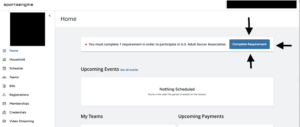
Step 1: Checking registration requirements & completing the registration
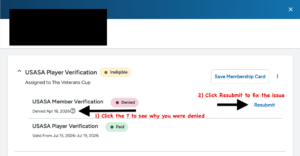
Step 2: Check the reason for the denial
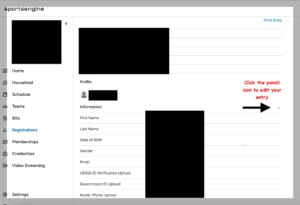
Step 3: Edit your entry to upload the proper materials
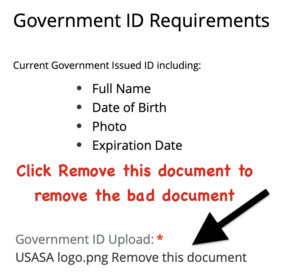
Step 4: Remove the current document & upload your new submission
If You Selected the Wrong Registration Option
-
If you selected the “USASA Member” registration option but are not currently registered with a USASA member organization, you will need to purchase a Tournament Pass ($18) using the link below:
https://u-s-adult-soccer-association-r1793.sportngin.com/register/form/646362108
Once your Tournament Pass has been purchased, USASA will be able to complete the review and approval of your Veterans Cup registration.
Note: USASA staff cannot upload documents to player accounts.
Dual Rostering (Playing on Two Teams)
If you plan to be rostered on two teams, you must first complete your initial player registration and receive approval. Once approved, you will see a green “Complete” status in your SportsEngine profile.After that, return to the registration link and complete the registration process a second time, selecting the second team you wish to play on. You will not need to upload your documents again, as your membership and documents are already on file.
Please note: Players are only permitted to be rostered on two teams total, and those teams must be in different age divisions.
USASA Membership & Registration Clarification
USASA Members:
Note: Requires proof of a current player registration through:
- A USASA State Association
- National League
- Multi-State League
- Approved affiliate
You must provide valid proof of USASA Membership via player pass or verification email from your USASA member association valid for 2026. Information required to verify player pass:
- Your name
- Member association
- Membership expiration date
Note: Veterans Cup player registration on SportsEngine is NOT a USASA membership.
Important – What Is NOT Accepted
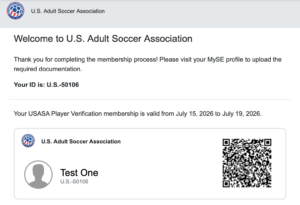
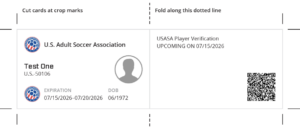
The SportsEngine Veterans Cup registration confirmation, SportsEngine “USASA Player Verification” pass, or any SportsEngine-generated membership card is NOT proof of USASA membership and will not be accepted for approval.
Example of NOT Accepted Documentation:
Non-USASA Members:
Select Tournament Pass to purchase for the Veterans Cup Tournament ($18).
SportsEngine Player Registration Process
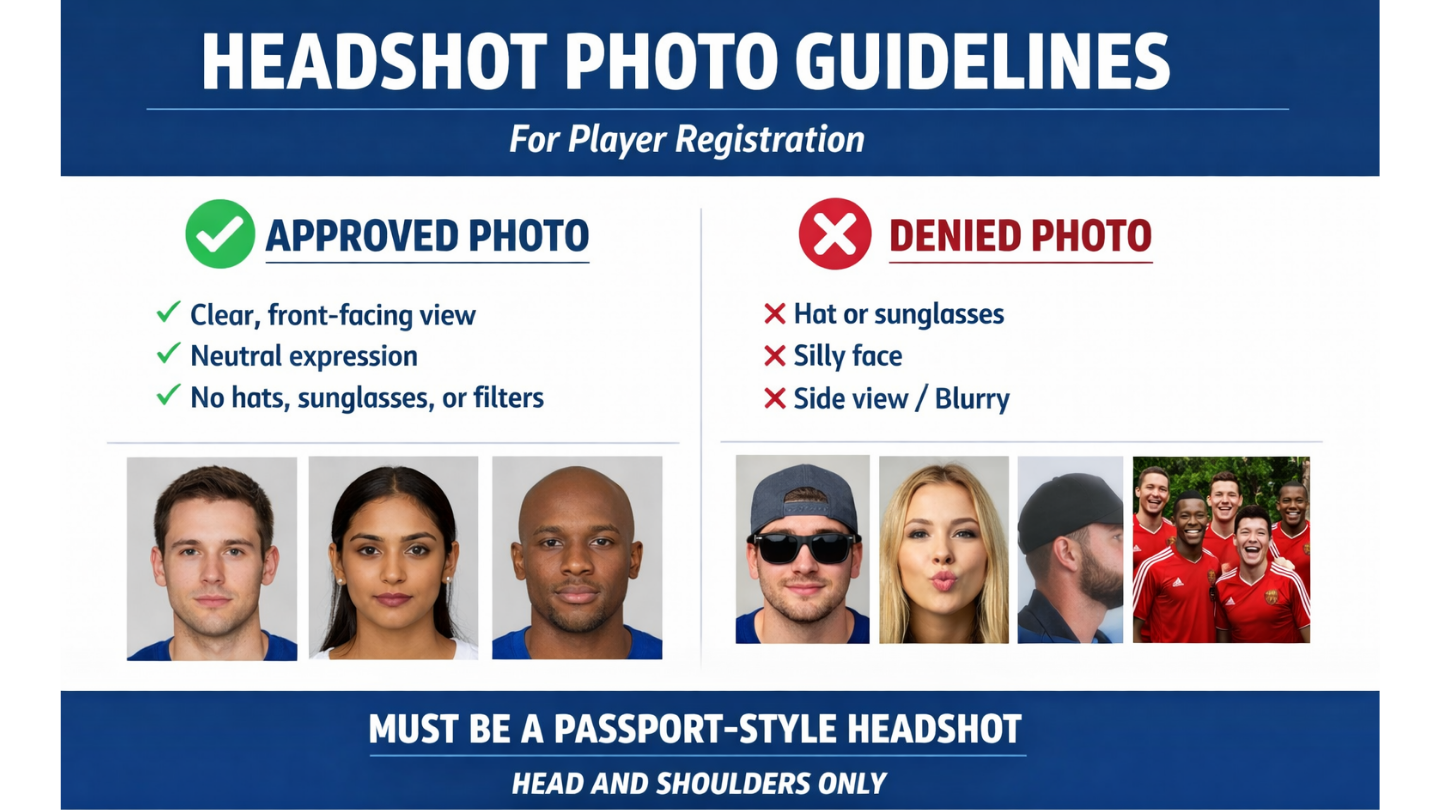
To ensure your registration is approved quickly, please review the information below.
Photo ID Requirements
Current Government Issued ID including:
- Full Name
- Date of Birth
- Photo
- Expiration Date
Roster Photo Requirements
Passport-style headshot (head and shoulders only).
Photos must clearly show the player’s face and meet standard passport-style guidelines.
The following will be denied:
- Full-body photos
- Images without clothing
- Action shots
- Group photos
- Unclear or low-quality images
Photos are used for official rosters and must be easily identifiable for referees.